
Managed Print Services vs. Break-Fix Printer Repairs: Which Saves Your Business More?
For most businesses running three or more printers, managed print services save more money than break-fix printer repairs over time. Break-fix looks cheaper because you only pay when something breaks. But downtime, call-out fees and unpredictable toner spending quietly add up. Well-run document print solutions turn those costs into one predictable monthly figure.
Break-fix still suits some offices, though. In this 2026 guide, we compare both models side by side, uncover the hidden costs, and explain where Kyocera printer repairs fit, so you can choose with confidence.
What Is Break-Fix Printer Repair?
Break-fix is the traditional, reactive approach to printer support. You buy or lease your devices, order your own toner, and call a technician only when a printer fails. Each job is billed separately for labour, parts and travel.
The appeal is simple: no contract and no monthly fee. If your printers rarely fail, you may pay very little in a year.
The catch is that your business carries all the risk. A failed fuser or drum unit brings an unplanned bill, and your team waits until a technician is free.
What Are Managed Print Services?
Managed print services (MPS) hand the day-to-day care of your printers and multifunction devices to a specialist provider under one agreement. Instead of waiting for faults, the provider monitors your print fleet and prevents problems before they stop work.
A typical managed print agreement includes:
- Supply of new devices, or management of the ones you already own
- Automatic toner and consumables replenishment
- Scheduled preventive maintenance and priority repairs
- Remote monitoring and monthly usage reporting
- Print security settings and firmware updates
Pricing is usually a cost-per-page rate or a fixed monthly fee, so print costs are easy to budget. At NXT IT, managed print sits alongside our managed IT services, so your printers are supported like every other part of your network.
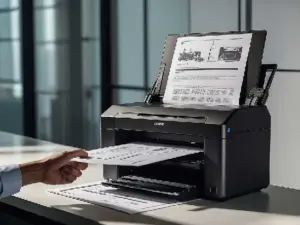
Managed Print vs. Break-Fix: Side-by-Side Comparison
| Factor | Break-fix printer repairs | Managed print services |
|---|---|---|
| Cost structure | Pay per repair, plus toner and parts | Fixed monthly fee or cost per page |
| Budget predictability | Low; costs spike when devices fail | High; one known monthly figure |
| Toner supply | Ordered manually by staff | Shipped automatically before it runs out |
| Maintenance | Only after something breaks | Scheduled and preventive |
| Downtime | Longer; repairs wait for availability | Shorter; priority response included |
| Cost visibility | Scattered across invoices | Clear monthly usage reports |
| Security | Often overlooked | Firmware updates and access controls |
| Best for | One or two low-use printers | Three or more devices, or growing teams |
The Hidden Costs of Break-Fix Printer RepairsThe repair invoice is only part of what break-fix costs your business. These expenses rarely appear on one bill, so they are easy to miss:
- Downtime: When a key printer fails, invoices, quotes and contracts wait. Staff time lost while waiting often costs more than the repair itself.
- Staff admin: Someone has to chase toner, log faults and book technicians, pulling them away from their real work.
- Emergency pricing: Urgent call-outs and rushed parts usually cost more than planned servicing.
- Shorter device life: Without preventive maintenance, small issues grow into major failures and earlier replacements.
- Security gaps: Unpatched multifunction devices can expose scanned and stored documents. Our cyber security services team often finds printers are the forgotten device on a network.
Add these together, and the true cost of break-fix is usually far higher than it first appears. When Does Break-Fix Still Make Sense?Break-fix can be the smarter choice when your printing needs are small and stable. It usually suits businesses that:
- Run only one or two printers
- Print low monthly volumes
- Have newer devices still under warranty
- Have no strict compliance or document security needs
In these cases, on-demand Kyocera printer repairs from a certified technician may be all you need. Many businesses start with break-fix and move to managed print as their team and fleet grow. Why Kyocera and a Local Partner Make a Difference Whichever model you choose, the brand of device and the technician behind it shape your long-term costs. Kyocera’s long-life design lowers repair needs Kyocera builds its printers around long-life components, including ceramic-based drums designed to outlast standard drums. Fewer parts to replace means fewer repairs and a lower cost per page. Kyocera colour billing is also based on actual toner use, so a page with a small colour logo costs far less than a full-colour page. Local technicians mean faster fixes NXT IT is a specialist Kyocera partner for the Riverina and ACT, based in Griffith. Our director placed second in the Asia Pacific finals of the Kyocera Awards, so your devices are serviced by proven experts. Being local also means faster on-site response than many metro-based providers. Learn more about our IT support in Griffith. How to Decide: A Quick Checklist Managed print services are likely to save you more if you answer yes to two or more of these questions:
- Do you run three or more printers or multifunction devices?
- Have you paid for more than one printer repair in the past 12 months?
- Do staff often run out of toner or wait on repairs?
- Is it hard to say what printing costs your business each month?
- Do you print sensitive client, patient or financial records?
- Are most of your devices more than four years old?
Still unsure? A print assessment reviews your device age, print volumes and current spending to show which model saves you more Find the Right Document Print Solution for Your Business Break-fix suits small, low-volume offices. For most growing businesses, managed print services deliver lower total costs, less downtime and better security. The right choice depends on how many devices you run and how much printing matters to your daily work. NXT IT Solutions helps businesses across Griffith, the Riverina and the ACT choose, manage and repair their Kyocera fleets. Whether you need a one-off repair or a complete managed print plan, our certified team can help. Contact us today for a free consultation and print assessment.