Microsoft 365 vs Google Workspace: Which Cloud and SaaS Solution Is Right for Your Business?
In today’s digital business landscape, cloud and SaaS services are no longer optional. They play a central role in enabling efficient operations, flexible workflows, and modern collaboration.
Among the most widely adopted productivity platforms are Microsoft 365 and Google Workspace. Core business functions such as email, document storage, collaboration, security, remote access, and compliance are now delivered through cloud and SaaS services, and for most organisations, the comparison ultimately comes down to choosing between Microsoft 365 and Google Workspace.
But the real question isn’t which one is better?
It’s which one fits your business
Some teams rely heavily on advanced spreadsheets and desktop applications. Others prioritise fast collaboration, simplicity, and working entirely in the browser. Many are somewhere in between, and that’s where the decision can get unclear.
From the perspective of IT professionals who support local businesses every day, the right choice depends less on brand names and more on workflow, security requirements, growth plans, and how well the platform is implemented.
In this guide, we take a clear, unbiased look at Microsoft 365 and Google Workspace, explain how each fits within modern cloud and SaaS services, and outline what businesses should consider before making a decision or switching platforms.
Cloud and SaaS Services: The Foundation
Before comparing platforms, it helps to step back and understand the model they’re built on.
Cloud and SaaS services (Software as a Service) have fundamentally changed how businesses access and manage software. Instead of installing applications on individual computers or maintaining on-premise servers, SaaS platforms are:
- Hosted securely in the cloud
- Accessible from almost any device with an internet connection
- Scalable as your business grows or changes
- Updated and maintained by the provider
For businesses, this means fewer infrastructure headaches, more flexibility for teams, and predictable subscription-based costs rather than large upfront investments.
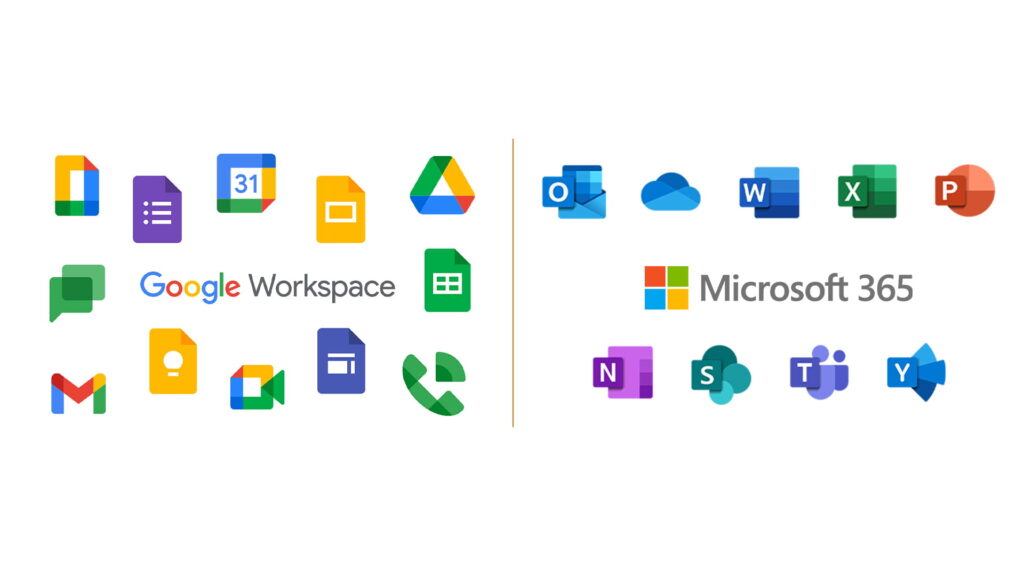
Both Microsoft 365 and Google Workspace are leading examples of this shift. They bundle essential business tools like email, file storage, document creation, communication, and collaboration into a unified cloud ecosystem designed to support modern work environments, whether teams are office-based, remote, or hybrid.
Where they differ is in how those tools are delivered, how deeply they integrate with existing systems, and how much control and complexity they offer.
Comparing the Platforms
1. Productivity Tools
At the core of both platforms are the tools that employees use every day to create, edit, and share information.
Microsoft 365 offers a combination of cloud services and full-featured desktop applications. Word, Excel, PowerPoint, and Outlook are available as browser-based tools but also as powerful desktop apps with advanced functionality. This hybrid model appeals to businesses that rely on complex documents, detailed spreadsheets, or offline access as part of their daily operations.
Google Workspace, by contrast, is built with a cloud-first mindset. Google Docs, Sheets, and Slides run entirely in the browser, with a strong emphasis on simplicity and real-time collaboration. Multiple users can work on the same document simultaneously, see changes instantly, and communicate within the file itself.
Expert perspective: Businesses that depend on advanced formatting, macros, or specialised document workflows may lean towards Microsoft 365. Teams that value speed, ease of use, and live collaboration, especially in remote or fast-moving environments, often find Google Workspace more intuitive.
2. Email, Storage, and Collaboration
Email and file storage are often the most critical and are the most visible parts of any cloud SaaS platform.
With Google Workspace, Gmail and Google Drive form the backbone of communication and storage. The interface is familiar, search is fast, and sharing files internally or externally is straightforward. Drive is designed around real-time access rather than traditional folder hierarchies, which works well for collaborative teams.
Microsoft 365 uses Exchange Online for email, paired with Outlook, OneDrive, and SharePoint for file storage and collaboration. This structure provides more granular control over permissions, document management, and versioning that are particularly valuable for businesses handling sensitive information or complex internal processes.
It’s important to note that storage limits, security settings, and collaboration features vary depending on the plan and configuration, which is why platform selection and setup should be aligned with business needs, not assumptions.
3. Security and Compliance
Security and compliance are critical considerations when adopting any cloud and SaaS services, particularly for businesses that handle sensitive customer information, financial data, or regulated records.
Both Microsoft 365 and Google Workspace provide enterprise-grade security capabilities, including multi-factor authentication, encryption of data at rest and in transit, advanced identity management, and compliance with widely recognised international standards. However, the way these features are structured, managed, and customised differs between the two platforms.
Microsoft 365 offers a highly granular security and compliance framework, making it well-suited to organisations that require detailed access controls, data loss prevention policies, and structured governance. Google Workspace takes a more streamlined approach, offering strong default protections with simpler configuration, which can be appealing for teams that want robust security without complex administration.
Regardless of the platform chosen, technology alone does not guarantee security. A well-defined security strategy that includes proper configuration, role-based access, regular reviews, and staff awareness is essential. Businesses operating in regulated industries or with strict data governance requirements should ensure their cloud environment is designed and maintained with compliance in mind from the outset.
Use Case Scenarios

Understanding how each platform performs in real-world business environments can help clarify which solution is the better fit.
Scenario:
Enterprises with complex IT infrastructure and legacy systems
Better Fit: Microsoft 365
Small to medium businesses focused on collaborative workflows
Better Fit: Google Workspace
Businesses that require offline access to productivity applications
Better Fit: Microsoft 365
Cloud-native teams operating remotely or across locations
Better Fit: Google Workspace
These examples are not absolute rules but general patterns observed across different industries. Many businesses successfully use either platform or even a combination of tools, depending on how their teams work and the systems they already rely on.
What to Consider Before Deciding
Choosing between Microsoft 365 and Google Workspace should go beyond surface-level features or subscription costs. A well-informed decision takes into account how the platform aligns with both current operations and long-term business goals.
Key considerations include:
- Your existing IT environment and how well the platform integrates with current systems.
- Employee familiarity with the tools and the level of training required.
- Security, compliance, and data governance requirements
- Scalability to support future growth, new locations, or evolving work models.
Evaluating these factors carefully helps reduce disruption, avoid unnecessary costs, and ensure the chosen solution supports productivity rather than hindering it. This is where expert assessment and structured planning become particularly valuable.
How Nxt IT Solutions Can Help
Migrating, configuring, and optimising cloud and SaaS services involves more than simply activating user accounts. Email systems, data, permissions, security policies, and workflows all need to be planned and executed carefully to minimise disruption and protect business-critical information.
As one of Griffith’s established IT and cloud service providers, Nxt IT Solutions supports businesses throughout the entire lifecycle of their cloud environment.
This includes:
- Assessing Microsoft 365 and Google Workspace against real operational and security requirements
- Planning and delivering smooth, low-risk migrations
- Configuring productivity tools, security settings, and governance frameworks
- Providing ongoing monitoring, support, and optimisation
- Ensuring cloud investments align with broader business and growth strategies
By combining technical expertise with an understanding of local business needs, Nxt IT Solutions helps organisations make confident, informed decisions about their cloud platforms.
Microsoft 365 and Google Workspace are both capable cloud and SaaS services, each offering distinct advantages depending on how a business operates. There is no universal solution that suits every organisation.
With informed guidance and careful planning, businesses can implement either platform in a way that enhances productivity, strengthens collaboration, and supports secure, scalable growth. Partnering with experienced professionals ensures that these tools deliver long-term value rather than short-term convenience.
Both Microsoft 365 and Google Workspace are powerful cloud and SaaS services with distinct strengths. There’s no one-size-fits-all answer; the best choice depends on your business requirements, existing systems, and growth plans. With expert guidance from trusted professionals like Nxt IT Solutions, you can evaluate your options clearly and implement a solution that enhances productivity, collaboration, and security.
Learn more